What a good AI visibility report contains
A client does not need every answer. They need to know where they stand, why, and what you will do about it, in a document they can read in five minutes and forward to their boss.
The opening page should give the result in plain words: how often the brand appears in AI answers, on which platforms it is strong or weak, and which competitors come up instead. The metrics behind it, such as visibility rate, first mentions and share of voice, are explained on our page about the AI visibility score. Then come the findings question by question, the sources that shape the answers and the priorities for the next weeks. If the AI section sits inside a wider SEO report, our guide to SEO KPIs shows how to fit it next to the organic numbers.
Two sections are easy to forget and make the difference with a demanding client. The evidence: what the AI actually said, with dates, so nobody has to take the numbers on trust. And the method: which questions, which platforms, which accounts and when, so the next report can be compared with this one. For a structure you can copy section by section, see the full AI visibility report template.
The QuotedBy report, page by page
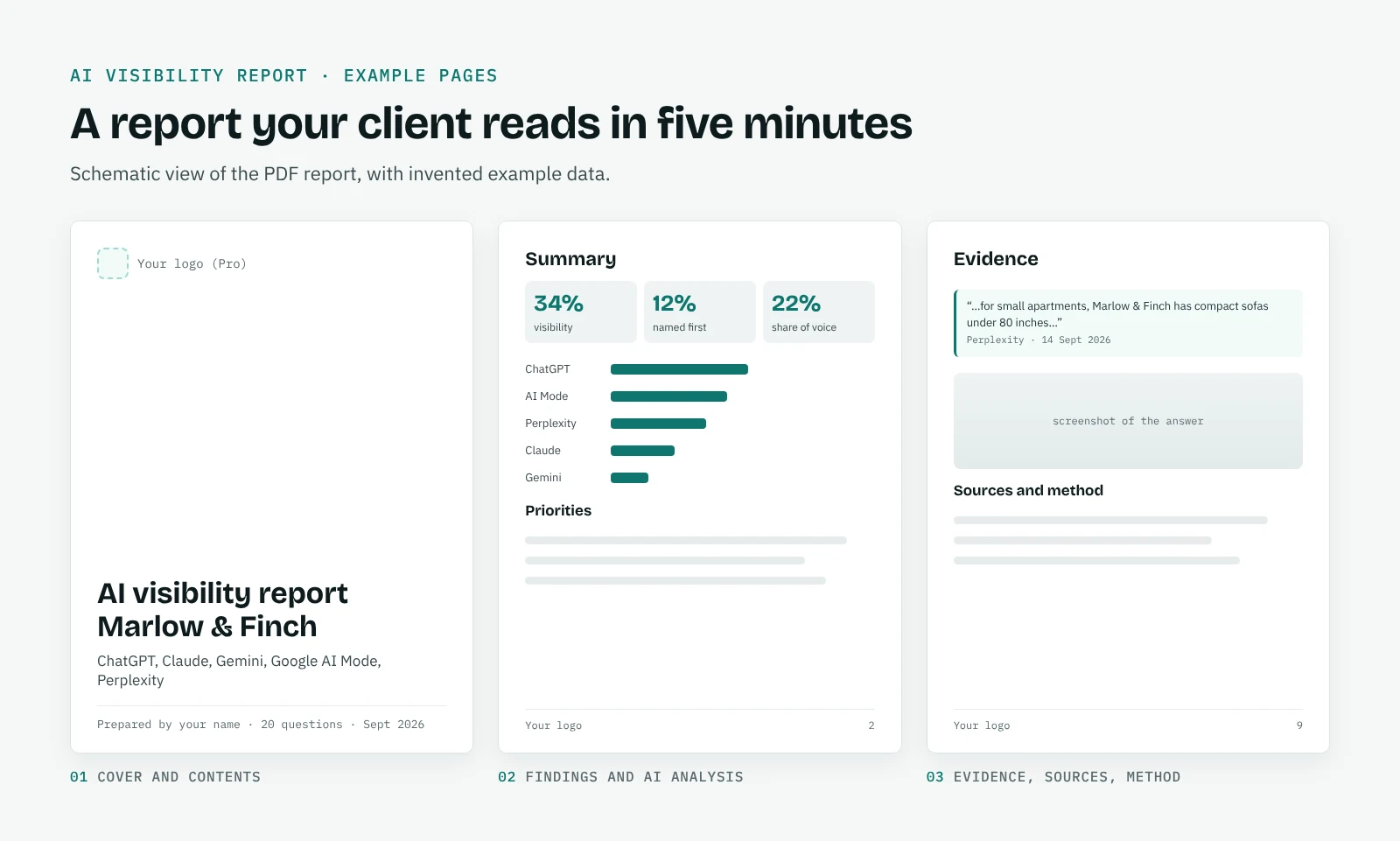
QuotedBy creates a report for a single question or for a whole project. The project report opens with a cover and a table of contents, then summarises the results, presents the findings, includes the AI analysis of the project, lists the sources and closes with the method. The report for a single question goes deeper: how each platform answered, who was named and in what order, how the brand was described and which pages were cited.
The AI analysis is written in plain words that a client understands: what is working, where competitors are ahead and the priorities to work on next. On Free it runs with Chrome's built-in AI, on Pro with ours, with no API key to set up. You can add who prepared the report, and on Pro your logo replaces the QuotedBy mark on the cover and in the footer.
Monthly AI visibility reports without the busywork
Most agencies report monthly. Set a reminder in QuotedBy for each client, run the questions on the agreed rhythm, and each run becomes a new point in the trend. When the report is due, the comparison with the previous period is already there: questions gained or lost, new competitors, new sources.
If you did work in between, such as new content or a review campaign, log it in QuotedBy and the report can show its effect. Our page on how to measure GEO results explains how the before and after works.
Your own dashboards: CSV, JSON and Looker Studio
Some clients want AI visibility next to their other KPIs. With Pro, you can export answers and links to CSV or JSON and bring them into a spreadsheet, a database or Looker Studio, where they can sit next to GA4 and Search Console data. Put AI mentions beside organic traffic and the AI Assistant channel, and you can show a client the part of their visibility that analytics alone does not capture.
Free reports, and what Pro adds
The Free plan creates PDF reports for one project, with the QuotedBy mark on the cover and in the footer. It is enough to show a first client what you can do.
Pro, at 24 € a month, is built for client work: reports with your own logo for up to 10 projects, CSV and JSON export, built-in AI analysis with no API key, alerts when a client drops out of an answer, before and after measurement and the full history.
Frequently asked questions
What is an AI visibility report?
A document that shows how often a brand appears in AI answers, on which platforms, against which competitors and on the strength of which sources, with the evidence and the method behind the numbers.
Can I white label the report?
Yes, on Pro. Your logo replaces the QuotedBy mark on the cover and in the footer.
Can I put AI visibility data in Looker Studio?
Yes. On Pro, export answers and links to CSV or JSON and import them into Looker Studio or a spreadsheet.
How often should I send an AI visibility report?
Monthly works for most clients. Run the questions weekly, so the monthly report rests on several runs rather than a single snapshot.